CapCut
All-in-one free video editor for PC & Mobile

Safe & Secure
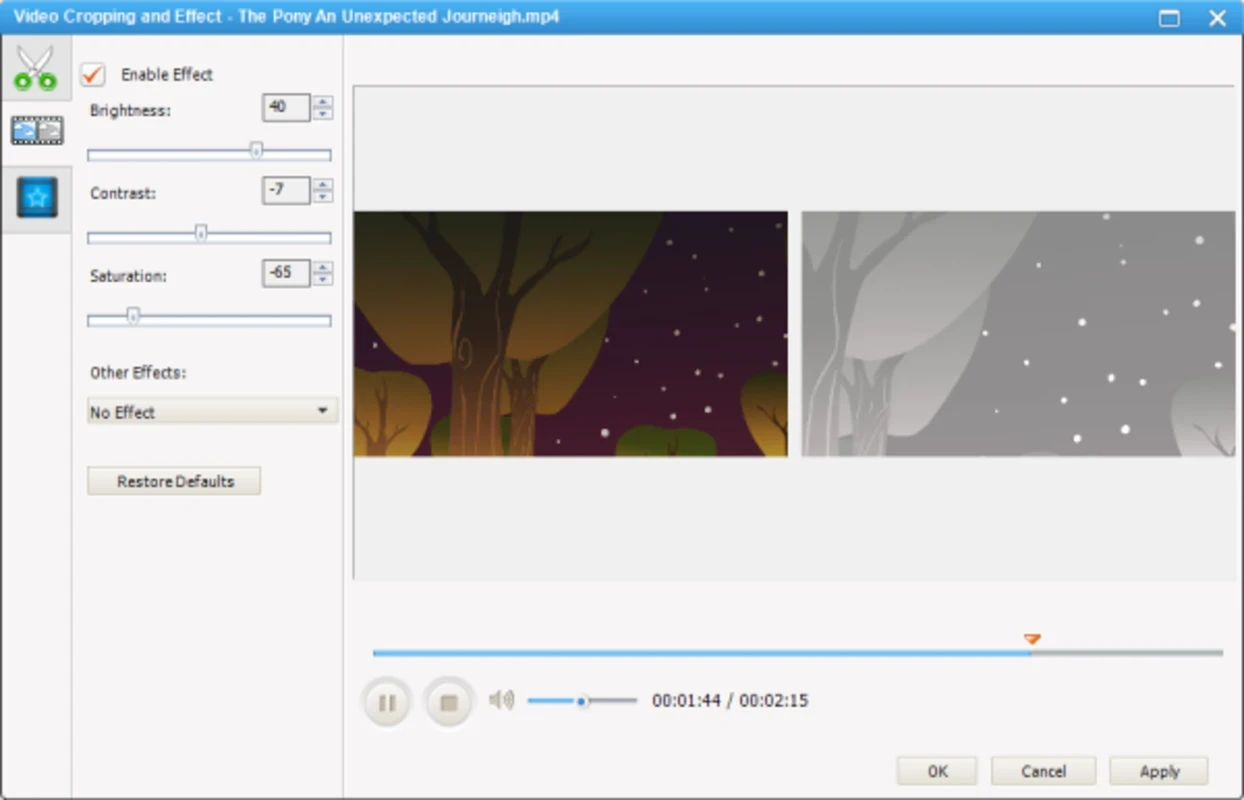

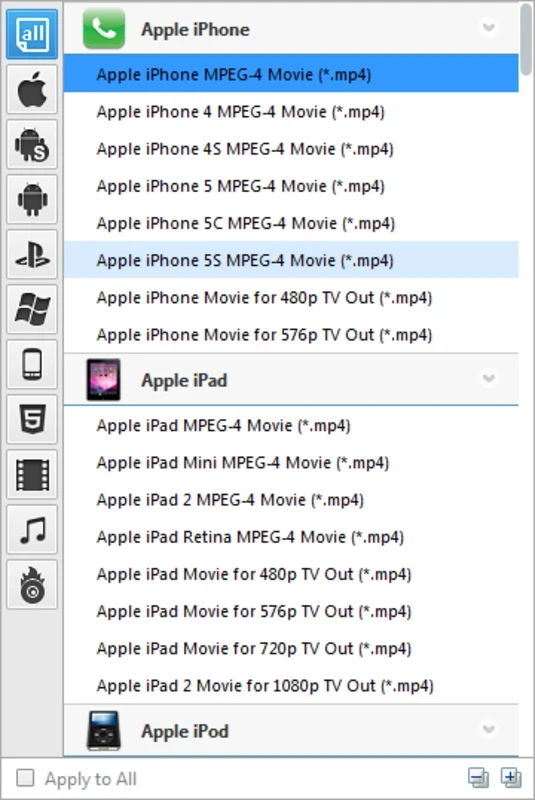


Any Video Converter Ultimate is a comprehensive all-in-one solution, serving as a DVD ripper, video downloader, video editor, and audio/video converter. It helps to modify the formats within few clicks; regardless of the reviving of your family footage, or generating images through text prompts. The simple file swapper is a powerhouse for creators to create stunning visuals.
The cross-platform utility offers feature-rich functionality, ensuring to play the videos on a different device that need to be modified with third-party media player. It supports extensive number of formats for the ease of users to convert your visual content into whatever format you want.
Any Video Converter Ultimate, developed by Anvsoft Inc., falls under the Converters category and is freeware software. It offers an all-in-one media toolkit to serve in different scenarios, such as converting, downloading, editing, DVD ripping, and even screen recording.
The innovative app is integrated with the Seedance AI engine, used for bridging the gap between basic utility and advanced creativity. It allows you to convert your videos into any format, as it supports all portable media players.
You will find 100% high-quality, even 4K videos, and downloading is available with NVIDIA NVENC, AMD AMF, and Intel QSV hardware acceleration. It offers stunning services while offering awesome integration for all types of portable media players, such as Apple products, including iPad, iPod, iPhone, and also Sony products such as PSP, PS3. It is also compatible with Android as well as Windows products. Moreover, the seamless integration with multiple online streaming platforms allows users to download and convert their desired videos from YouTube, Dailymotion, Vimeo, Instagram, Facebook, and so on.
The supported formats are unlimited, enabling users to easily convert their visual content into any other format, such as;
You will find accelerated video conversion with support for CUDA acceleration technology, as it offers robust conversions along with batch conversion, which makes it possible to download as well as convert multiple videos simultaneously. It also enhances performance with multi-threading support and the convenience of shutting down the feature automatically.
The user interface offers a straightforward workflow, allowing users to use a drag-and-drop option for reliably importing media files. It is quite easy and simple to use; however, you need some learning curve to handle driver setup for DVD ripping, or configuration for advanced encoding. Moreover, you will find a built-in screen recording option for capturing desktop activity, and video playback directly from the app, instead of switching to other additional software.
You can customize the interface, tailoring your videos as you want such as; you can convert videos into customized percentages, including 50%, 100%, 200%, and so on, adjusting the video size. Moreover, you will capable of selecting resolution of your choice from huge library, including 480p, 720p, 1080p, even 4K, and so on. You will also find multiple codecs to encode videos, such as x264, x265, h263p, XviD, MPEG, WMV, and a lot of others. In this way, you can flexibly control the video encoding process.
It is also one of the core features that enables users to easily extract audio from DVDs and videos. It makes it possible to convert DRM M4V videos from iTunes and use them on different devices. Moreover, it allows burning videos to DVD and Blu-ray formats, such as DVD + R, DVD+RW, DVD+R Dual Layer, DVD-R, DVD-RW, and DVD-R Dual Layer. The burned discs have compatibility with both PAL and NTSC TVs, and also DVD and Blu-ray players.
You will find all basic editing functionality to reliably make changes to the videos before using them in different scenarios, such as;
Pros
Cons

All-in-one free video editor for PC & Mobile

Get optimized converted multimedia files with Format Factory

Green Convert is a free video converter to offers a quick conversion and editing videos with support for limitless formats

Free Cam, capture, record, and edit videos to upload directly on YouTube

VLC supports multiple audio/video formats to play your multimedia.

Streamlabs OBS is a offer you online and offline broadcasting.